- Domovská stránka /
- Elektronika /
- Computer Accessories /
- Computer Accessories & Peripherals /
- Audio & Video Accessories /
- Computer Speakers /
- PC Motherboard Internal Speaker (3-Pack), BIO...
0 ratings




Položka č.:
3440064
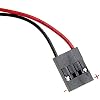
PC Motherboard Internal Speaker (3-Pack), BIOS Alarm Buzzer for PC Troubleshooting & Post Beep Code Diagnostics, Essential Mini Hardware Tool for DIY
Položka č.:
3440064
CZK 308
Price Details
Excluding Shipping & Custom charges ( Shipping and custom charges will be calculated on checkout )
*All items will import from USA
Na skladě
 Importováno z obchodu USA
QTY:
Objednejte nyní a položka bude u vás okolo středa, červen 24
Secured transaction
Ubuy works hard to protect your security and privacy. Our advanced payment security system ensures confidentiality by encrypting your information during transmission using AES (Advanced Encryption Standards) and SSL (Secure Socket Layer) protocols. Your payment details are 100% secure as we do not share your payment details with third party sellers.
Our Top Logistics Partners


The internal PC motherboard speaker allows the user to hear post code beeps as it boots up to ensure everything is working correctly. With a 3-inch long cable and the ability to plug onto the Speaker header connection on the motherboard, this speaker reduces wiring clutter.

Fast
Shipping

Free
Return*

Secure Packaging

100% Original Products

PCI DSS Compliance

ISO 27001 Certified


Note: Step Down Voltage Transformer required for using electronics products of USA store (110-120). Recommended power converters Koupit teď.


What Stands Out
Multi-Pack Value
This 3-pack of internal speakers provides excellent value, ensuring you have spare units for multiple builds or repairs, making it ideal for DIY enthusiasts and IT professionals.
BIOS Alarm Functionality
Designed to emit POST beep codes, these speakers aid in diagnosing motherboard issues quickly, helping users troubleshoot problems efficiently without requiring advanced tools or extensive knowledge.
Compact Design
The mini hardware tool is easily installable in virtually any case, saving space while ensuring you're always equipped for computer building or repairs, perfect for technicians and hobbyists alike.
Detaily produktu
- 3pcs pack of PC motherboard internal speakers
- Approximately 3 inch long cable to reduce PC wiring clutter
- Used to hear post code beeps and BIOS alarm sounds
- Plugs onto the Speaker header connection on the motherboard
- Enables monitoring of PC boot codes for system diagnostics
- Provides various beep codes for different errors and failures
| Audio Output Mode | Mono |
| Mounting Type | Flush Mount |
| Enclosure Material | Plastic |
| Speaker Type | Internal |
| Antenna Location | For Computers |
| Is Waterproof | FALSE |
| Control Method | Push Button |
| Speaker Size | 3 Inches (7.6 cm) |
| Specific Uses For Product | For Computers |
| Controller Type | Battery Powered |
| Speaker Maximum Output Power | 3 Watts |
| Item Weight | 9.07 g |
| Compatible Devices | Desktop |
| Power Source | Battery Powered |
| Brand | SoundOriginal |
| Model Number | 713458089199 |
| Model Name | 713458089199 |
| Built-In Media | 2 x Speaker, 1 x Speaker Driver |
| UPC | 713458089199 |
| Manufacturer | SoundOriginal Factory |
| Frequency Response | 8 Hz |
| Number of Audio Channels | 3.0 |
| Connectivity Technology | Wired |
| Connectivity Protocol | Wired |
| Audio Driver Type | Piezoelectric Driver |
| Package Weight | 1 Pound |
What's in the box
2 x Speaker, 1 x Speaker Driver
Who Should Buy?

-
Computer Builders
Ideal for individuals assembling PCs, as it provides essential BIOS beep codes for troubleshooting hardware issues.
-
Tech Enthusiasts
Great for hobbyists who enjoy customizing systems and require alerts for various BIOS statuses during operation.
-
Repair Technicians
Beneficial for professionals diagnosing motherboard problems, using beep codes to efficiently identify faults and streamline repairs.

-
Average Users
Not essential for everyday users who do not troubleshoot hardware issues and primarily use pre-built systems.
-
Non-technical Individuals
Unsuitable for those unfamiliar with computer hardware who may not understand BIOS beep codes or their meanings.
-
Mobile Users
Not necessary for users of laptops or tablets, as these devices do not use internal BIOS alarm buzzers.
POPIS PRODUKTU
Máte nějaký dotaz? Napi
Otázky a odpovědi zákazníků
-
otázka:
What is a PC Motherboard Internal Speaker BIOS Alarm Buzzer used for?
Odpovědět: A PC Motherboard Internal Speaker BIOS Alarm Buzzer is primarily used to provide audio feedback during the boot-up sequence of a computer. This small device emits beeping sounds that can indicate various hardware issues, such as problems with RAM or graphics cards. When troubleshooting a system that fails to boot, these audible signals can aid you in pinpointing the issue effectively. For instance, if you hear a series of short beeps, it may suggest a memory error, helping you quickly address the problem. -
otázka:
How do I install the internal speaker buzzer on my motherboard?
Odpovědět: Installing a PC Motherboard Internal Speaker BIOS Alarm Buzzer is a straightforward process. First, ensure that your computer is powered off and unplugged. Locate the speaker header on your motherboard, which is often labeled as 'SPKR' or 'SPEAKER.' Align the pins of the buzzer with the header, ensuring proper orientation, then gently press down to secure it. This setup will allow the speaker to connect and function during boot-up, making it essential for effective troubleshooting. If you’re unsure of the orientation, your motherboard manual typically provides guidance. -
otázka:
Are all BIOS alarm buzzers compatible with every motherboard?
Odpovědět: No, not all BIOS alarm buzzers are universally compatible with every motherboard. Most motherboards have a specific type of connector, and it’s important to verify that the internal speaker buzzer you choose matches that configuration. Additionally, different motherboards may have different signaling protocols for audio alerts, so it’s advisable to check your motherboard’s specifications before purchasing. Ensuring compatibility will help avoid functionality issues, allowing for accurate beep codes during troubleshooting. -
otázka:
What types of beep codes can I expect from a BIOS alarm buzzer?
Odpovědět: A BIOS alarm buzzer can produce a range of beep codes, which are useful diagnostics for identifying hardware problems. For example, one long beep followed by two short beeps typically indicates a graphics card error, while a series of short beeps might pinpoint a memory fault. Familiarizing yourself with these beep codes can significantly streamline the troubleshooting process. Refer to your motherboard's manual for a detailed list of beep codes specific to your model, as this will provide guidance on how to resolve various issues. -
otázka:
Is a motherboard internal speaker necessary for troubleshooting?
Odpovědět: While not strictly necessary, a motherboard internal speaker significantly enhances the troubleshooting process. This device provides immediate auditory feedback on hardware status during the boot process, allowing you to quickly identify potential issues based on the beep codes emitted. In scenarios where a computer fails to display anything on the screen, the alarm buzzer serves as an essential diagnostic tool. By interpreting the beeps, users can swiftly determine whether they need to check their RAM, CPU, or other critical components. -
otázka:
Can I replace an old motherboard internal speaker with a new one?
Odpovědět: Yes, replacing an old motherboard internal speaker with a new one is quite feasible and often necessary if the original speaker is malfunctioning. To ensure proper function, simply follow the installation instructions: remove the old buzzer, and connect the new one to the same speaker header on the motherboard. This straightforward upgrade can restore your system's audio diagnostics, ensuring you receive accurate beep codes during boot. Make sure to select a compatible model for seamless integration into your setup. -
otázka:
How many internal speakers come in a standard PC motherboard buzzer pack?
Odpovědět: A standard PC Motherboard Internal Speaker BIOS Alarm Buzzer pack typically includes three individual speakers. This quantity is advantageous because it allows users to have spare units on hand for future use. In case one speaker fails or if you work with multiple systems, having additional buzzers can save time and enhance your troubleshooting capacity. It’s a practical choice for enthusiasts or professionals who often service different types of computers. -
otázka:
What are the dimensions of a standard motherboard internal speaker?
Odpovědět: The dimensions of a standard motherboard internal speaker typically range around 2 inches in length and width and about 0.5 inches in height. These compact measurements make it easy to fit within the confines of most computer cases and motherboard layouts. Since space can be limited in different setups, ensuring the size is appropriate is key. This compact design allows the internal speaker to be easily installed without interfering with other components, maintaining a clutter-free environment inside the computer case. -
otázka:
Can damage to internal speakers affect my computer's performance?
Odpovědět: Generally, damage to internal speakers does not directly affect the overall performance of your computer. However, without a functioning speaker, you will miss critical beep codes that indicate hardware faults during boot. This lack of feedback can hinder your ability to troubleshoot effectively. For instance, if your computer fails to start and the speaker is damaged, you may not know whether the issue lies with the RAM or GPU, leading to prolonged troubleshooting. Thus, while not performance-related, functional buzzers are essential for efficient diagnosis. -
otázka:
Where can I buy PC Motherboard Internal Speaker BIOS Alarm Buzzer 3pcsPack?
Odpovědět: You can buy the PC Motherboard Internal Speaker BIOS Alarm Buzzer 3pcsPack from Ubuy in Czech Republic. Ubuy offers a broad selection of electronic components, allowing you to find what you need easily. Their platform is user-friendly, making it simple to locate specific products such as internal speaker buzzers. Whether you’re building a new PC or upgrading parts, Ubuy can provide the necessary components to ensure your system runs smoothly.
SoundOriginal Computer Speakers 713458089199 Editorial Review


The SoundOriginal PC Motherboard Internal Speaker BIOS Alarm Buzzer is a basic plugin tweeter or beeper. It beeps a code during the Power On testing procedure to let you know what is happening. It can be very helpful and resolves the issue you might have while troubleshooting motherboard booting issues. It does not have any range and bass response can be predicted to be negligible. It comes in packs of three and works great. However, it lacks nuance for choral works. Some motherboards might have beep codes for power issues so Consult your motherboard's manual to see what the codes are. Overall, it is a useful product for those who need to hear a motherboard post sounds.
Customer Reviews & Ratings
1095 hodnocení zákazníků
-
5 hvězda
78%
-
4 hvězda
13%
-
3 hvězda
4%
-
2 hvězda
1%
-
1 hvězda
4%
Zrecenzovat tento produkt
Sdílejte své myšlenky s ostatními zákazníky
Klady
- Shipped in better packaging than others
- Works as advertised
Nevýhody
- Does not have any range
Product Price History
Důležitá informace
- Omezení: U produktů zasílaných do zahraničí mějte na paměti, že jakákoli záruka výrobce nemusí být platná; servis poskytovaný výrobcem nemusí být k dispozici; návody, pokyny a bezpečnostní upozornění k produktům nemusí být v jazyku země doručení; produkty (a podpůrné materiály) nemusí být vytvořeny v souladu se standardy, specifikacemi a požadavky na označení platnými v zemi doručení; a produkty nemusí odpovídat standardnímu napětí a další elektrickým standardům (v konkrétních případech může být zapotřebí využít adaptér nebo převodník). Příjemce má odpovědnost přesvědčit se, že produkt je možné do země doručení legálně importovat. Při objednávání od společnosti Ubuy a jejích partnerů je příjemce odpovědným dovozcem a musí splnit všechny zákony a nařízení platné v zemi doručení.
- Vzhledem k tomu, že Ubuy je celosvětový vyhledávač, nejsou všechny produkty, které zde najdete, na prodej. Produkty podléhají exportním/obchodním předpisům.
CZK 308
Objednejte nyní a položka bude u vás okolo středa, červen 24
This item is not restrict in my country.(Please click on above link if this item is not restrict in your country, So our team will review and allow.)
QTY:
Secured transaction
Ubuy works hard to protect your security and privacy. Our advanced payment security system ensures confidentiality by encrypting your information during transmission using AES (Advanced Encryption Standards) and SSL (Secure Socket Layer) protocols. Your payment details are 100% secure as we do not share your payment details with third party sellers.
Our Top Logistics Partners
Fastest cross-border delivery
Služby a výhody
- Internal PC motherboard speaker used to hear post code beeps
- 3-inch long cable reduces PC wiring clutter
- Plugs onto the Speaker header connection on the motherboard
- Allows user to ensure everything is working correctly during boot up
- Comes in a package of 3 motherboard speakers
- Compatible with BIOS alarm sound of POENIX